Price List
By Administrator on December 19, 2022
IntermediateA Price List is a Catalog of Item Prices for Selling
LENS Core lets you maintain multiple Selling Item Prices using Price Lists.
Price Lists can be used in scenarios where you have different prices for different countries (based on the shipping costs), for different currencies, etc. An Item can have multiple prices based on customer, currency, region, shipping cost, etc, which can be stored as different rate plans.
In LENS Core, all the Item Prices are stored separately.
To access a Price List go to:
Home > Offer > Setup > Price List
1. How to use a Price List
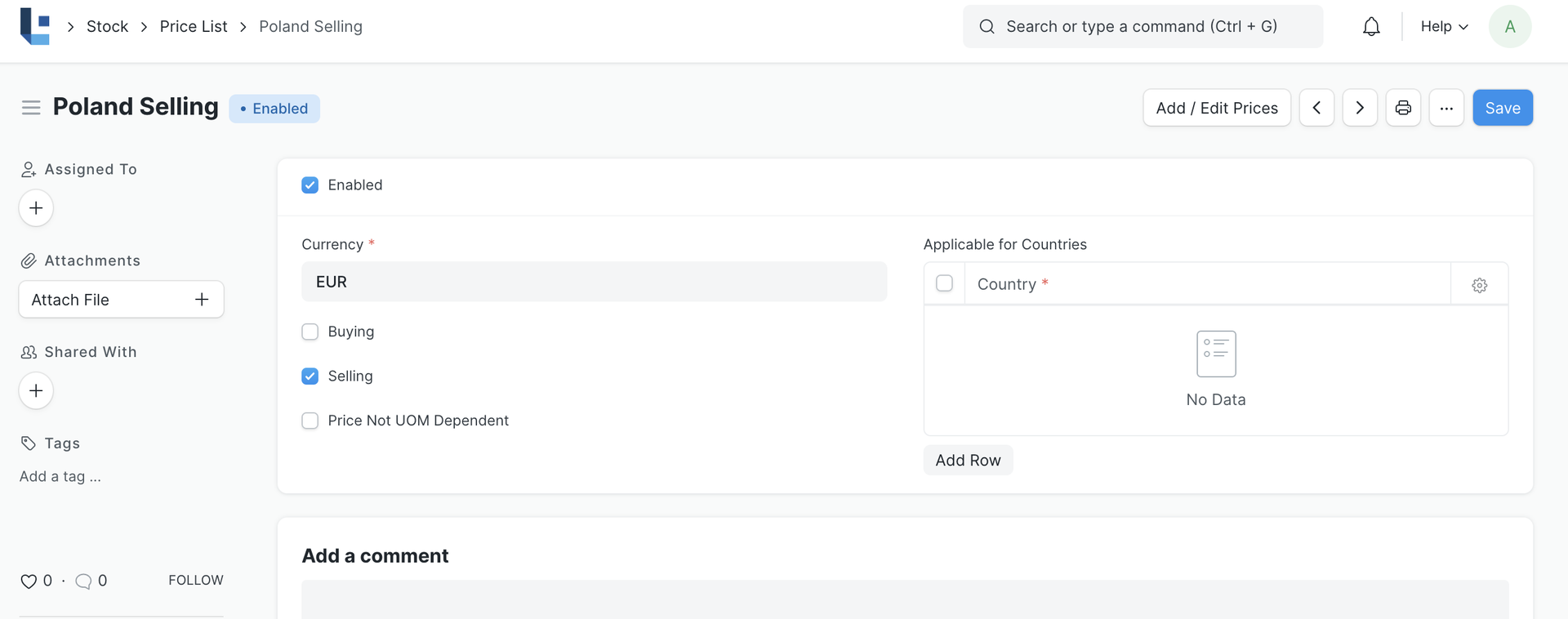
- Price Lists will be used when creating an Item Prices to track selling price of an item.
- A Price List can be created for a country, alternatively list of countries the item price is applicable can be assigned in the Price List.
- To disable specific Price List, untick the 'Enabled' checkbox. Disabled Price List will not be available for selection in the Offer.
- Create Item Prices by assigning the respective Price List.
- You can now use the Price list of your choice in the Offer or leave the system to auto determine the Price List. The prices of the Items will be fetched from the respective Price List we used in the Offer.
Note: If you have multiple Price Lists, you can select a Price List or tag it to a Customer or Customer Group (so that it is auto-selected). Your Item Prices will automatically be updated from the Price List.
Related Topics
Was this article helpful?
No comments yet. Login to start a new discussion Start a new discussion